Invoice Template Customizer Pro
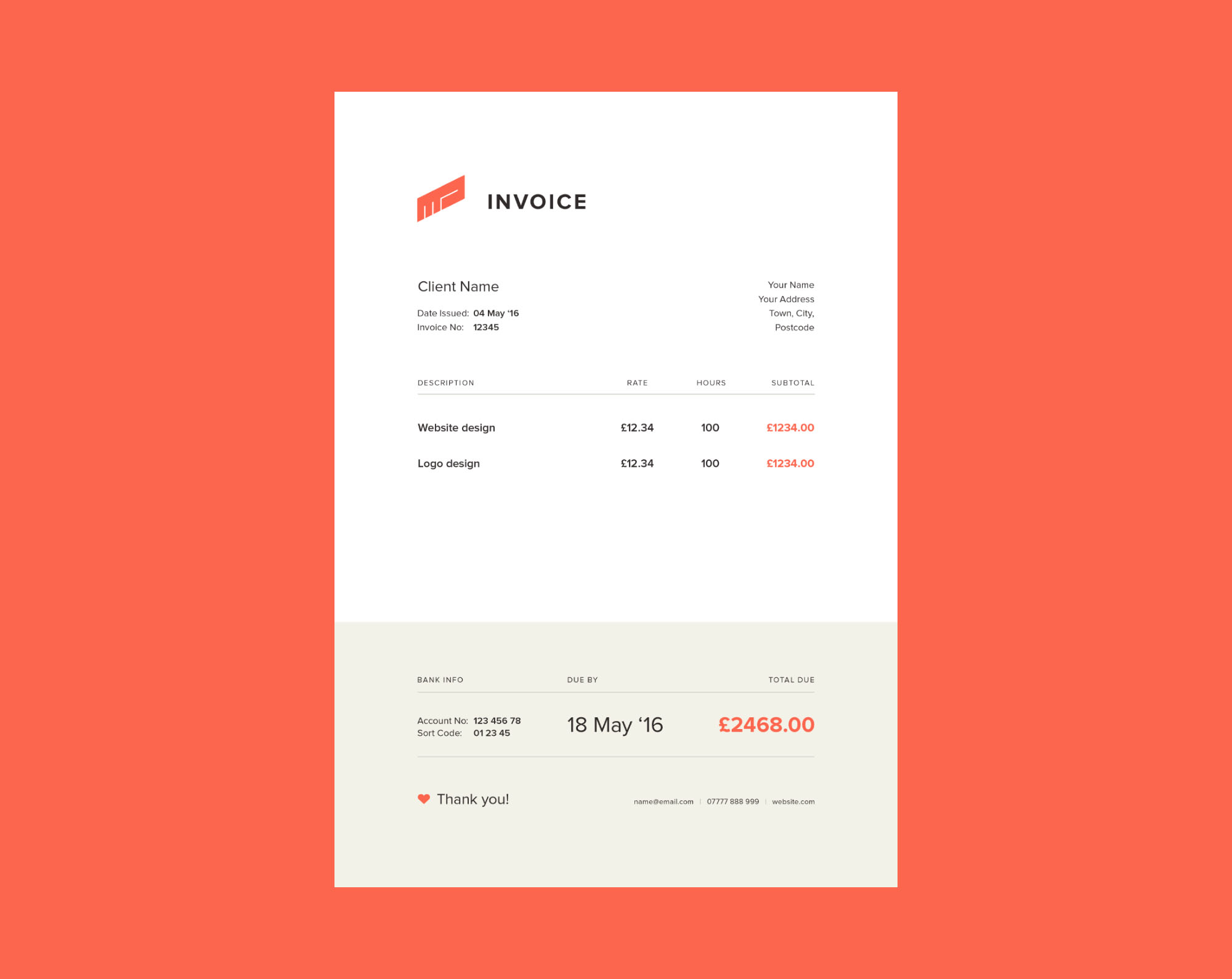
Invoice Template Customizer is a premium WHMCS addon that gives you full control over how your invoices look — both on-screen and in PDF. Replace the default WHMCS invoice with a professionally designed template and customize every visual detail from a clean admin interface, no code or file editing required.
About This Product
Invoice Template Customizer Pro
A premium WHMCS addon that gives you full control over how your invoices look — both on-screen and in PDF. Replace the default WHMCS invoice with a professionally designed template and customize every visual detail from a clean admin interface, no code or file editing required.
About This Product
Choose from 10 built-in invoice designs crafted for modern hosting and SaaS businesses. Includes: Modern Minimal, Corporate Pro, SaaS Clean, Stripe-Inspired, Dark Invoice, Agency Layout, Premium Business, Hosting Style, Elegant Minimal, and Classic Billing. Switch instantly — customizations saved per template.
Adjust any template's appearance through a point-and-click interface. Control primary color, accent color, background, font family, font size, border radius, spacing, and table styles. Settings are saved per template.
Upload your company logo, set your business name, tagline, and contact details that appear on every invoice. Supports logo image upload with automatic storage. Branding applies globally across all active templates.
Edit all invoice text content without touching template files. Customize payment terms, thank-you message, invoice notes, footer text, and any other copy block. Supports plain text and basic HTML formatting.
Show, hide, or reorder any section of your invoice layout — items table, tax breakdown, payment instructions, company address, client details, notes, and footer. Changes take effect immediately on both web view and PDF.
Add extra data fields WHMCS doesn't natively support — VAT/GST registration number, purchase order number, project reference, contract ID, or any custom label-value pair. Fields can be toggled active/inactive and reordered.
Preview any template directly in the admin panel using real or auto-generated sample data. See exactly how your invoice will look to clients before activating — full layout including branding, custom fields, and section config.
Export your entire config — template choice, visual settings, branding, content, custom fields, and section order — as a single JSON file. Import it on any WHMCS installation. Ideal for agencies or backing up before updates.
All customizations apply automatically to PDF invoice downloads via the WHMCS InvoicePDF hook. Clients receive beautifully formatted PDFs that match your branded web invoice exactly. No separate PDF configuration required.
Injects your primary brand color into the WHMCS client area invoice view page via the ClientAreaHeadOutput hook. Zero impact on other client area pages.
Checks for new releases from tivro.net once per day and displays an update banner in the WHMCS admin area. Includes changelog display and a direct download link. Notices can be dismissed per version.
Each license is locked to one WHMCS domain, managed through your tivro.net account. Verified remotely once per day with a 15-day encrypted local cache fallback. A 5-day grace period applies beyond the cache window before the addon gates itself.
Runs inside a self-contained admin interface with CSS variables and a consistent design system. Does not conflict with WHMCS stylesheets or other addons. Fully responsive with mobile-friendly tab navigation.
All internal classes use the InvCust\ namespace and IC_ prefixed SDK classes. Safe to run alongside TivroMonitor, Tivro Trial Manager, TivroKYC, and any other addon.
Database tables are created automatically on first activation. If tables are missing after a manual file upload, the installer runs automatically on the next page load — no manual intervention required.
Requirements
- WHMCS 8.x
- PHP 7.4 or higher
- MySQL / MariaDB
- cURL enabled
- Valid Invoice Template Customizer license from tivro.net
Installation
-
1
Upload the
invoicecustomizerfolder tomodules/addons/ - 2 Go to WHMCS Admin → Setup → Addon Modules
- 3 Activate Invoice Template Customizer
- 4 Click Configure and enter your license key from tivro.net
- 5 Select a template and start customizing
Invoice Template Customizer Pro
Whmcs Addon
Billed monthly. Cancel anytime.
Best value — save vs monthly billing.
One-time payment. Yours forever.
- Instant download after purchase
- Free updates included
- Premium support access
- License key included
You'll log in or sign up at checkout.
Have a question?
We reply within 24 hours